

NOTE: I have received no payment, or free products as a bung for this review. I paid for my Beeline “Velo 2” and my only relationship with Beeline is as a paying customer.
TLDR:
If you’re looking for a great “cycle computer”, just buy a £99 Beelin.co “Velo 2”
Intro:
Although a geek by profession, before a recent “Century” Cycle- 100 miles in a day– event held by the Highwheel Century Riders Association, I never really had a requirement for one. My “trip computer” heretofore was just a watch I’d periodically glance at to verify that I was where I needed to be in respect to time for a given route for both both lap & overall time. ie: “Whoops, I’m slow 30 seconds on this lap; I’m slipping…”
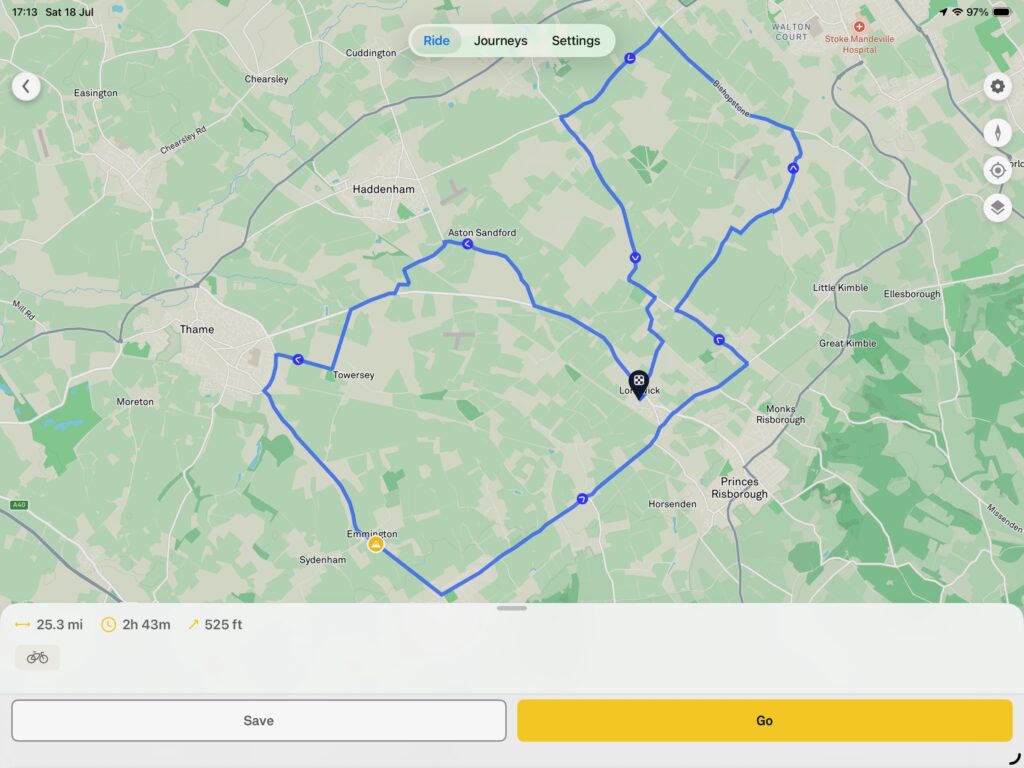
However, the course for the Century ride was 25.3 miles and appeared to wind through rural areas, so felt the chance to get lost existed. In most organized rides there are lots of other Penny-Farthing riders so you can just follow the pack without fear of going wrong. I suspected that this event would be thinly subscribed with cyclists scattered across the 25.3 mile route. So I began investigating Cycle Computers.
Since cycle computers are both expensive and considered an essential piece of cycling kit, I’ll do an enhanced review of the product.
Scope of Review: Companies excluded from consideration
I quickly performed a sift of the field of companies whose products weren’t even in the running to narrow my search for a solution:
Wahoo: I spoke with Christian Richards- proprietor of Richards of England which manufacturers replica Penny-Farthings and restores antique ones– and he was telling me about the faff he had working with the data from his Wahoo. Christian himself was an IT geek before he began building his iconic Penny-Farthings and no technology neophyte. So this was hardly a rave review from somebody who is knowledgable about both domains: cycling AND technology. So I didn’t investigate Wahoo any further. Although Christian didn’t totally slate Wahoo, the issues he flagged I felt were enough to put me off of even looking at it.
Garmin: I’ve previously bought two of their products- a satnav and a rear-facing cycle camera. Both were bricked on firmware updates. Myself being a technologist- I’m both a Linux & Network Engineer who’s worked on the probably the world’s largest Linux clusters and managed a WAN spanning a very large country– I’ve performed firmware updates on servers, storage boxes, network devices, blade chassis, blades, RAID controllers; you name it I’ve done firmware updates on it. And these things are mega expensive and you can’t EVER get it wrong. These Garmin device brickings happened probably 10 years apart, so not isolated incidents. From my personal experience, Garmin is a hardware vendor without fundamental competencies in … hardware. Updating firmware should be a routine function of a product’s lifecycle. But Garmin can’t seem to get it right. So having had MULTIPLE prior bad experiences of their poorly engineered products, I didn’t even consider buying one of their cycling computers. So having been a disappointed Garmin customer TWICE, they were IMMEDIATELY excluded from consideration in my investigation into cycle computers.
You fool me ONCE, shame on YOU. You fool me TWICE, shame on ME. Well, Garmin fooled me twice; I won’t trust them a further time…
“Velo 2”: A “Trip Computer” which ISN’T a “Trip Computer”!
So the field was significantly narrowed at this point.
Googling I discovered Beeline’s “Velo 2“. What I quickly realized was that this device was NOT a dedicated “cycle computer” per se, but rather a dumb terminal that the Beeline app- which usefully can be connected to both Strava & Kamoot– outputs both cycling metrics & route data to a little round terminal. No data lives on this magical little round disc. If it were lost or stolen, you wouldn’t lose anything: the data lives in the Beeline app which pairs to the “Velo 2”. This is an elegant solution. I immediately loved the fact that data was disaggregated from the device which makes upgrading to a future model or replacing it due to dumping badly or theft as easy as just re-pairing it in Bluetooth. Sweeeeeeet….
(4) Components to the Beeline Solution:
There are (4) components to the Beeline solution worth discussing:
a) Beeline App: the “Brains”
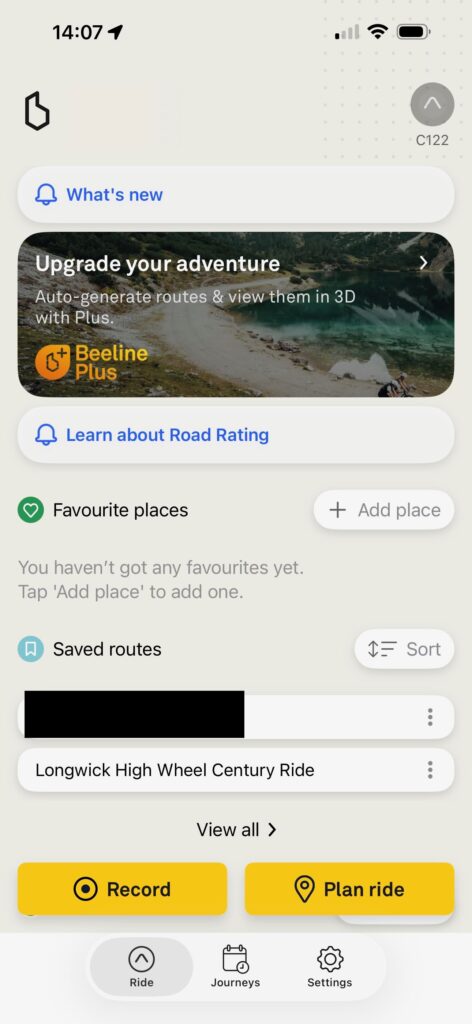
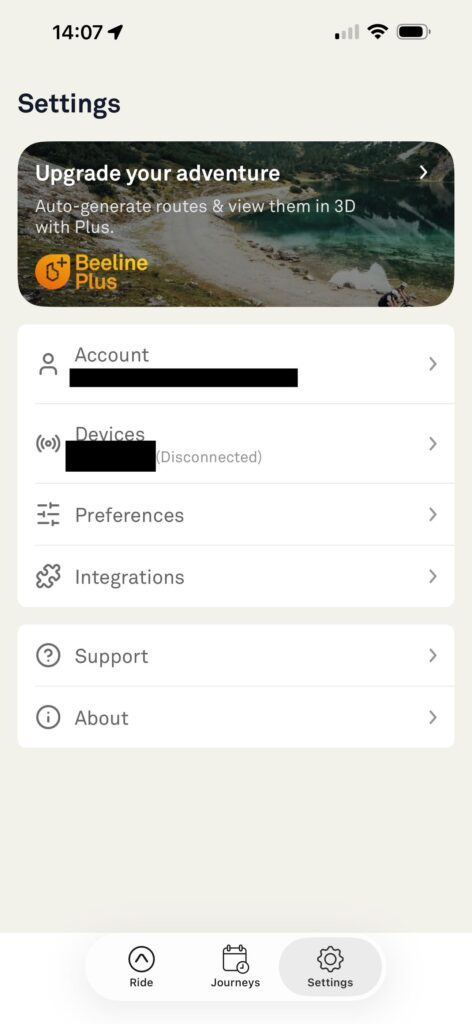
Since I don’t use Strava because it’s woke and I boycott woke companies, I can only compare it to Kamoot who limit their virtue signalling to a bare minimum 😉.
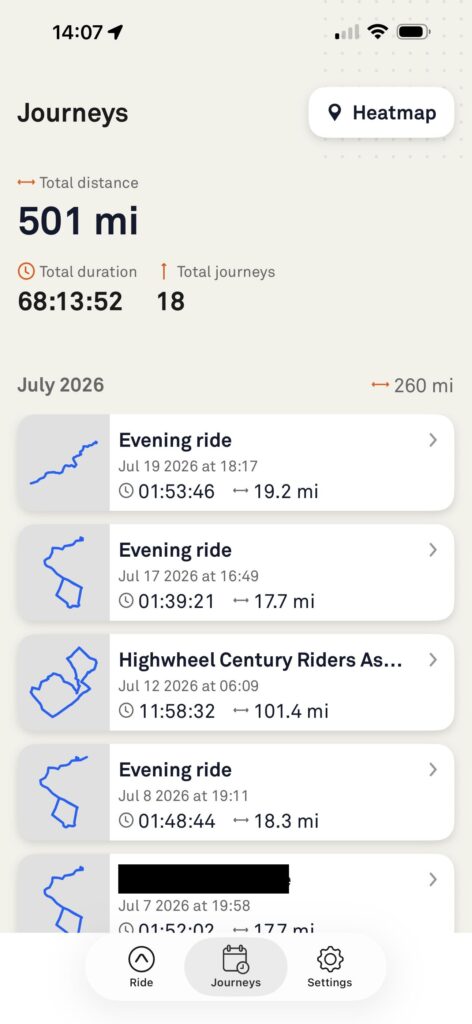
Minimal Interface = GOOD THING: You can stop/start/pause your cycle. You can import & start a saved (GPX) route. You can review all your previous cycles. All fundamental functions easily accomplished in a clean, simple interface. Once you start the cycle in the Beeline app, put your phone in your cycling wallet, shove it in your jersey and the next time you touch it is to stop the cycle & close the app.
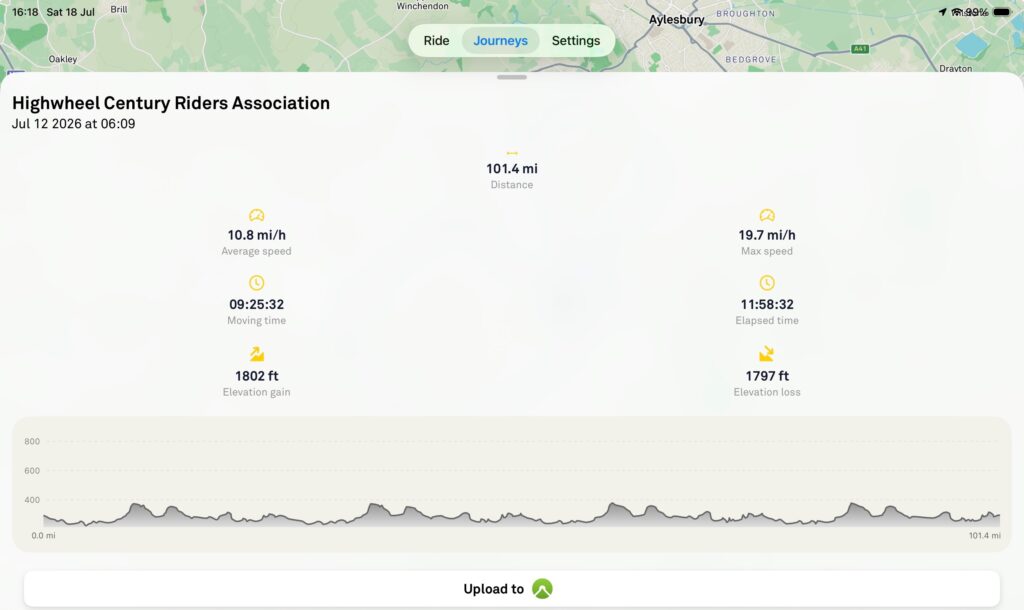
Cycle Metrics: The Beeline App is pretty fair and capture more useful metrics than Kamoot. For instance, it captures Total Cycle time AND Elapsed Cycle Time. So when I was cycling in the 100 mile Century cycle and I stopped at the end of each lap to get my card stamped, fill up water bottles, eat, change cycle shorts, reapply sun cream, this time was counted in Total Time, but netted-out in Elapsed Time so I could see exactly how long I was in the saddle. It also captures the fast speed achieved.
Data Import/Export: The Highwheel Century Riders Association Organizer sent us all a GPX file of the 25.3 mile lap we would have to cycle (4) laps. It was simple to load in the Beeline app. You can also save routes to export to other cyclists. And Beeline will save all your metrics from previous cycles, which you can even import into Kamoot or Strava as illustrated in the below graphic. Although this is all nice, I’ve been using Kamoot for (3) years and have a lot of cycling history- including the Great Knutsford Race- I’m going to continue to start both Kamoot & the Beeline app at the start of each cycle and not put all my cycling metrics “eggs” in a single basket.
Navigation: When approaching a turn, you’ll hear a series of short beeps to attract your attention you’re approaching a direction change. But one thing I was curious about when I used the navigation feature was that since I was cycling the same loop repeatedly, would the Beeline app stop when I returned to the end? It didn’t. I didn’t need to do anything with it. Each time I set out on a new lap, the Beeline app continued to provide navigation directions; it didn’t stop and conclude “FINISH”. This was a pleasant surpise.
Battery Life: I started the Century cycle with 100% battery charge. After grinding through the first 50 miles running BOTH the Beeline & Kamoot apps, I had only burned 40% battery on my iPhone 14 Max. At that rate, I could have probably finished the Century- which Total time with stops after (3) laps was 11:58– without recharging my iPhone. But not wanting to risk incomplete cycling metrics, I used a small portable USB charger to top-up the battery an additional 20% before setting out on Lap 3.
b) “Velo 2”: the “Display”
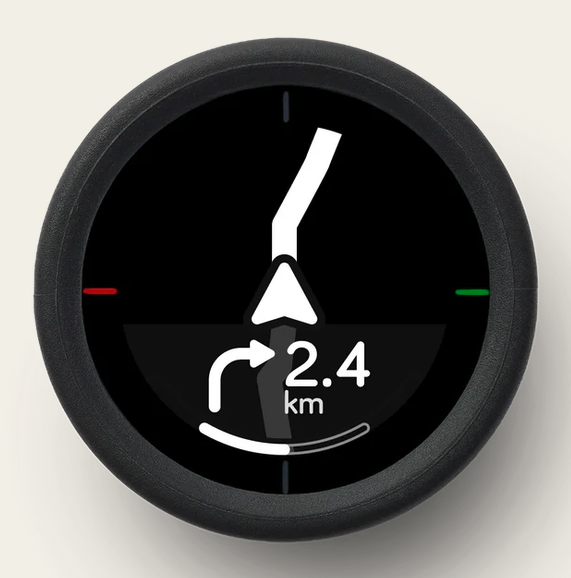
Since all the smarts live in the Beeline app as noted above and the “Velo 2” merely consumes data from the app, there’s not much to discuss here really.
Battery Life: The Velo 2 was on for nearly 12 hours. The beeline app shows my total time as 11:58. The battery in the Velo 2 only died a few miles from the end. That is DAMN good. Also, extreme temperatures- both hot & cold- are adverse to battery life. It was 29 Celsius for probably ~6.5 hours. One reason for the excellent battery life is minimalist display and default Dark Mode. No mapping is displayed: ONLY direction changes. It will beep and show you a directional arrow at junctures & roundabouts. Also, recharges very quicklyFull marks for both battery life and displaying only directional changes. But lastly & most importantly, although the Velo 2 *display* battery ran flat before the end of the nearly 12 hour event, the Beeline app that pukes data to it DIDN’T: I lost no cycling metrics and I could hear the app beeping in my jersey pocket every time I approached a turn!
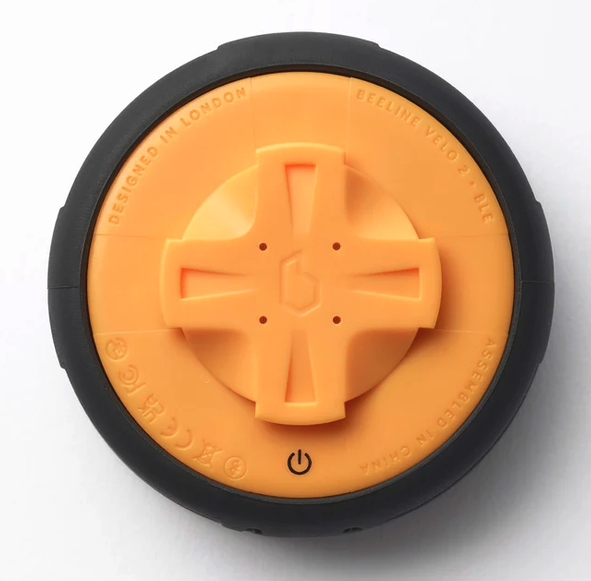
Power Interface: The Velo 2 uses a newer USB-C port to be charged.
Toggling Display: There are rocker buttons at 0, 90, 180 & 270 degrees to toggle the display to show different cycling metrics, device metrics (battery life of both the phone & the Velo 2), and navigation info.
Readability: The only thing that could be a bit better with the display is the size of the font for certain information. I’ve remarked that trying to see total miles on one of the screens is difficult for me due to the small font size. But I am 60 and my eyes are not what they used to be. For those using it younger than Methuselah, this likely will not be the issue it is for older cyclists. However, it’s only a few metrics with small font that have readability issues. Most of the display is fine for those of us with aged peepers.
NOTE: Control is unidirectional. The Velo 2 DISPLAYS data piped to it by the Beeline app using the rocker buttons to see different metrics. Think of the Velo 2 as a mere dumb terminal. Initially when I first cycled with it, I thought I could just start a cycle from the Velo 2; nope. I then realized you start it from the Beeline app and the Velo 2 springs to life. Beeline’s minimalist instructions are crap and will waste your time leading you to believe the Velo 2 is the main controller; it’s not…
c) Universal Mount:
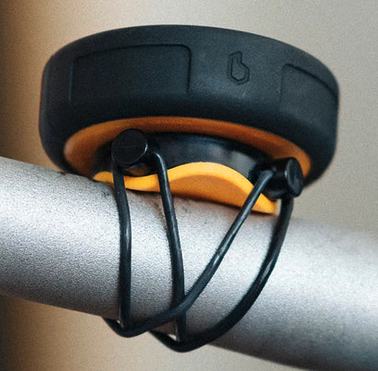
The universal mount does what it says on the tin. I can even attach the Velo 2 to my very thin Richard’s of England Singer Challenge replica’s handle bars. They’re so thin- elegantly so- that even attaching a bell is a problem. But not with the Velo 2. I bought an extra universal mount to attach to my other Penny-Farthing.
d) Protective Rubber “Velo 2” Cover:
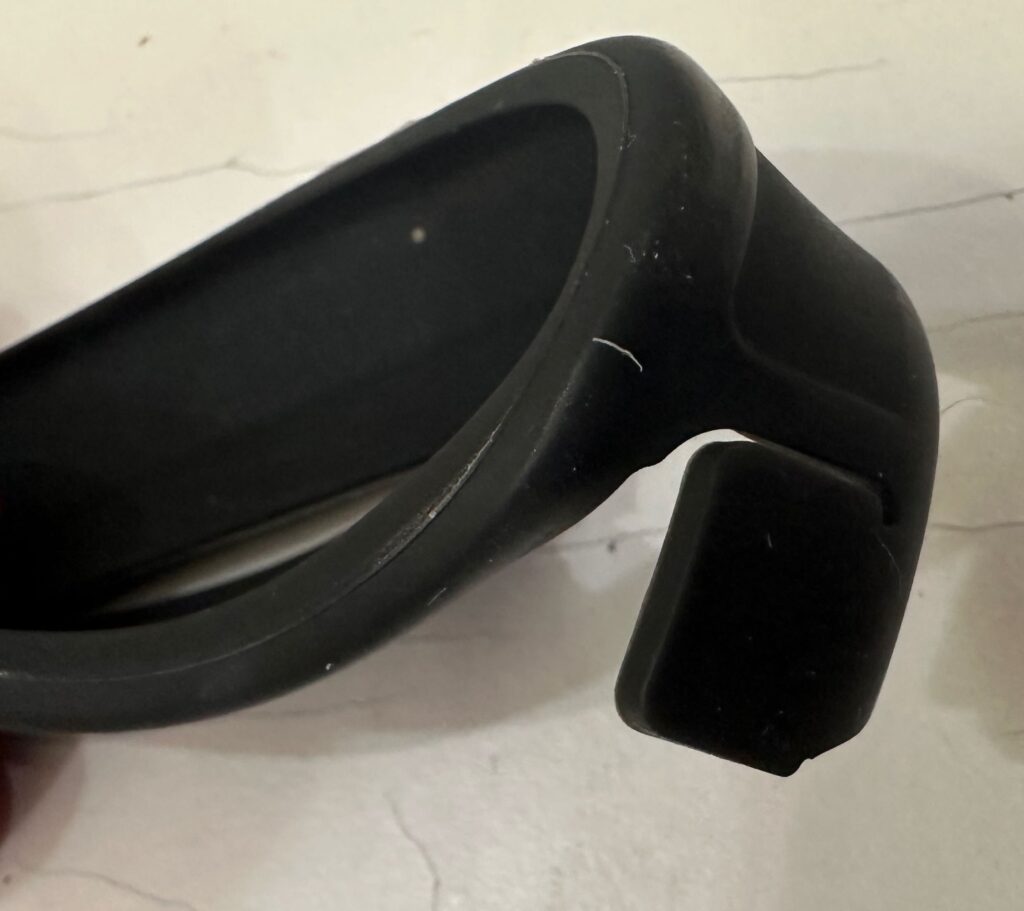
This is complete crap. The Velo 2 if dropped from a height- the handlebars for my 54″ Singer Challenge replica are 5 feet above the road surface- will break. I have just over 500 miles on the Velo 2 and the protective cover has already ripped. Cycling the other day I felt something bounce off of my leg, and immediately realized that it was the Velo 2’s rubber cover 🙄. I wouldn’t have remarked it was missing until the next time I went to toggle the display if I didn’t feel it hit my leg.
When you twist the Velo 2 off of the universal mount after each cycle- or to go into a pub 😉- the rubber cover invariably twists each time, making it impossible to close the charging port protective cover.. So you have to manually twist it back to insert the protective USB-C port cover. It’s this constant torsion that will cause the really thin point where the protective USB-C cover tears.
<rant>It’s badly designed, not fit for purpose and you’ll probably be buying lots of these rubber protective covers if the rate at which this one failed is representative of their expected life 🙄. Although a very low-tech component, it’s a nonetheless very essential one. The Rubber protective cover lets-down what is otherwise a really well engineered product.</rant>
Cost/Value:
The beeline “Velo 2” costs just £99, INCLUDING free delivery at the time of this writing.
On 7 June 2026 I bought the Beeline Velo 2 for £121.98 which also included an accessory case and an additional universal mount. a relative STEAL compared to the cost of competing cycle computer solutions. as of today, 21 July 2026 I’ve used it to train for and take part in an elite cycling event and it was absolutely outstanding. Although the crappy rubber protective cover is a MAJOR annoyance to me, it’s not enough to cancel all the other great things to like about it. As both a technologist & an experienced cyclist, I highly recommend it, not merely because it’s a great value, but because the minimalist navigation with audible prompts & dark mode display make it easy to understand at the shortest glance what you have to do.